brat generator
type anything and get the lime-green, lowercase, blurred cover look in seconds. free, no watermark, no signup, and it runs entirely in your browser.
free. no watermark. no signup. no limits. everything renders in your browser, nothing gets uploaded.
spacing and position
what is the brat generator?
The brat generator is a free tool that turns anything you type into the lime-green cover look: lowercase text, squished sideways, softly blurred, sitting on a flat green square. Type a word and the preview redraws instantly. Download it and you get the full-resolution file, with no watermark, no account, and no cap on how many you make.
Three measurements do most of the work, and this tool applies all of them for you. The background is exactly #8ACE00, sampled from the original 2048-pixel artwork rather than guessed from a compressed screenshot. The type is plain Arial squished to roughly 69% of its natural width, which is why the brat generator font gets mistaken for Arial Narrow when it is something cruder and better. The softness is a gaussian blur of about 0.4% of the canvas edge, left over from artwork that was designed small and blown up. Get one of the three wrong and the result looks close but off, which is what usually gives a recreation away.
typing is the whole interface
There is no render button and nothing to wait for. The canvas redraws on every keystroke, so typing in the brat generator is the entire interaction, and what you see on screen is what lands in your downloads folder. Long text wraps and shrinks until it fits, so you never size anything by hand. Leave a blank line and it becomes a stanza gap, which is what makes the brat generator lyrics use case work: paste a verse and the card lays itself out.
All of it runs in your browser. Nothing you type is uploaded, nothing is stored, and the tool keeps working with an ad blocker on or the network flaky.
colours, styles, and fonts
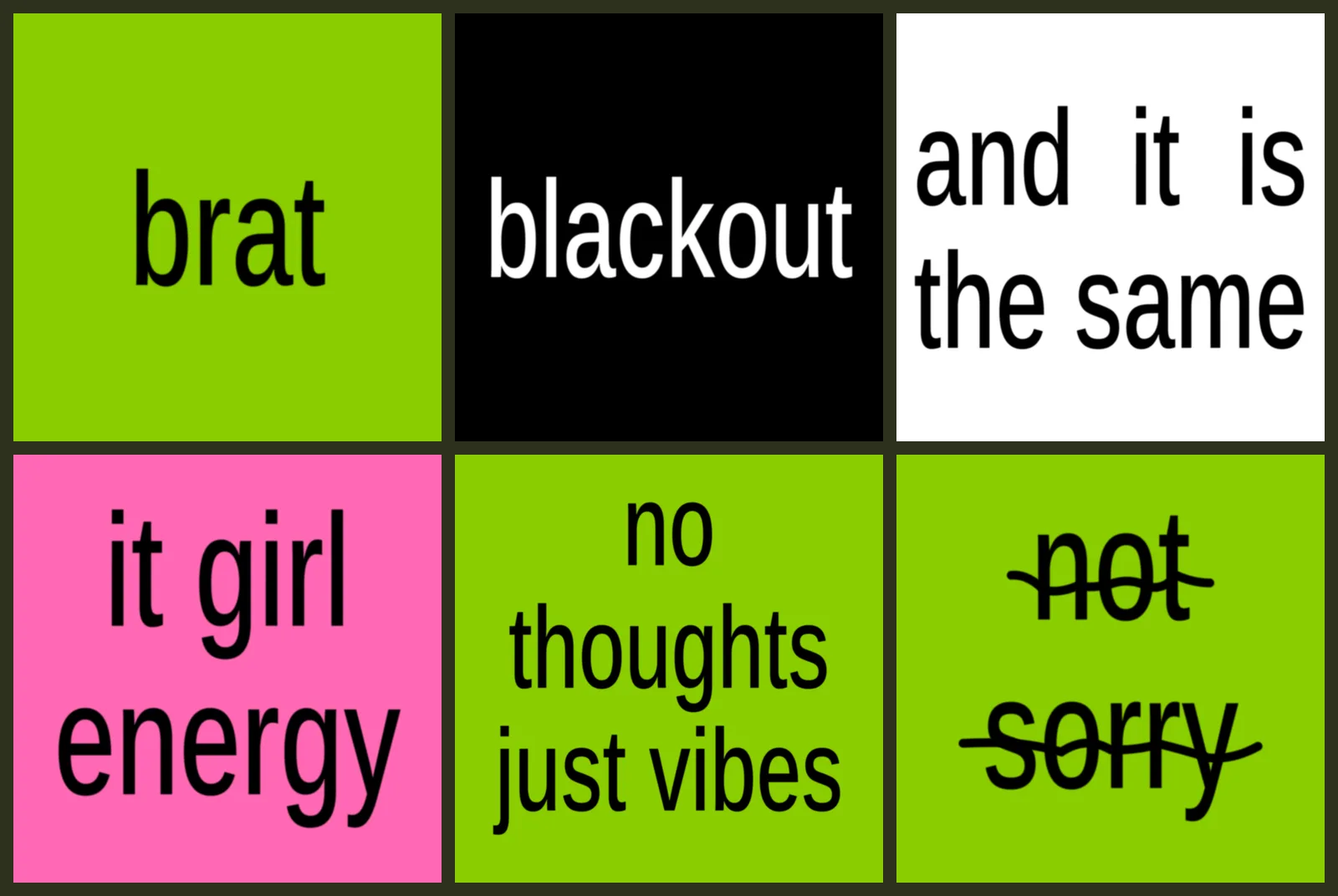
Green is the default, not the limit. One tap swaps to a brat generator black background with white text, to the justified white block, or to hot pink, and the custom pickers take any hex you want. The brat generator white text on black is the most requested variant after the original, and the black, white and pink colourways each have their own page if you would rather start there than change settings.
Four styles change the arrangement rather than the palette: classic, mirrored, the justified white block, and a scribble struck through the line. Behind those sit thirteen font styles, from the original squished Arial to condensed caps, a typewriter face, and a marker. Every one is self-hosted, so your image renders the same on a cheap Android phone as it does on a Mac, and each file downloads only when you pick it.
sizes, files, and one honest limitation
Ten size presets cover the 2048 square album cover, the 3000-pixel streaming spec, Instagram posts and stories, an X header, iPhone and Android wallpapers, and a profile picture with a live round-crop preview. Each renders at its true resolution instead of upscaling a small canvas, which is the difference between a sharp file and a soft one. Export as PNG, JPG, or WebP, copy the image straight to your clipboard, or copy a link that rebuilds the exact design for whoever you send it to.
One thing it does not do is video. This is an image generator, and the word-by-word clips people post are built by exporting one frame per word and cutting them together in a video app. That workflow is genuinely quick once you know it, and the brat generator video guide walks through it, but it is not one click here and pretending otherwise would waste your time.
Everything on this website is free. No paid tier, no signup wall, nothing to install, and no watermark on any export, ever.
straight off the generator
click any card and it loads in the tool, ready to remix.
matched to the real thing, pixel by pixel
Most generators get the look roughly right and call it a day. We sampled the original 2048-pixel cover file and measured it: the background is exactly #8ACE00, the text is plain Arial squished to about 69% of its natural width, and the softness is a blur equal to 0.4% of the canvas edge, a leftover from the artwork being designed tiny and blown up.
This tool reproduces all three, and centers the text on its actual ink box the way the original does. The blur slider starts subtle at 0.15 so your text stays sharp; slide it to 0.4 for the exact softness of the real cover, or to zero for fully crisp.
every colorway, one click away
sized for where it's going
A square stretched into a story looks stretched. Every preset here re-renders your design at the true pixel dimensions of its destination, so the blur and text scale stay proportional.
how to use the brat generator, in four steps
-
type your text
Any word, name, or phrase. Long text wraps and shrinks to fit the canvas automatically, so you do not have to size it by hand. Multi-line is fine too.
-
pick a style and color
Classic green, mirrored, the white justified block, or the scribble strike. Use a preset swatch or choose any background and text color you want.
-
choose your size
Album square, story, wallpaper, header: ten presets rendered at true resolution, or stay on the classic 2048 square.
-
download or copy
One click for a full-resolution PNG, JPG, or WebP with no watermark. Or copy the image straight to your clipboard and paste it into any chat.
questions people actually ask
how do i use the brat generator?
Type your text in the box, and the preview updates as you type. Pick a style and a colour if you want something other than the classic green, choose a size preset for wherever you are posting it, then hit download. Four steps, no account, and the whole thing takes under a minute the first time.
is the brat generator free?
Yes. Every feature on this site is free with no caps: unlimited downloads, every size preset, every style. There is no pro tier, no credits, and nothing locked behind a signup.
what font is the brat generator using?
The original look is plain Arial squished to about 69% of its natural width, not Arial Narrow, which is the usual guess. This tool renders with Arimo, an open-license face metrically identical to Arial, so the output matches on every device including Android phones that have no Arial installed. Twelve other font styles sit in the dropdown if you want a different one, and the brat font generator page breaks the squish and blur down in detail.
is the brat generator ai?
No, and that is deliberate. Your image is drawn directly on an HTML5 canvas from measured values: the exact hex, a fixed horizontal squish, and a calculated blur. That means it is instant, free, identical every time you type the same words, and it never invents a stray letter the way an image model would. There is no prompt and no waiting.
is the brat generator unblocked at school or work?
It is a normal website with nothing to install, no login, and no third-party service to call, so it works anywhere a browser can open the page. If a network filter blocks the domain itself there is nothing this site can do about that, but there is no app, extension, or account standing between you and the tool.
can the brat generator make a video?
Not directly. This is an image generator, so the word-by-word clips you see on TikTok are made by exporting one still per word at the 1080x1920 story size and cutting them together in a video editor. Our guide walks through the timing and the settings that keep every frame consistent.
is there an app, or is the brat generator website all of it?
The website is all of it. There is no app to download and nothing to update, because the generator runs in the browser you already have. Add the page to your home screen if you want an icon; it will open straight into the tool.
does it put a watermark on my image?
No. The file you download is exactly what you see in the preview. Several similar tools quietly stamp their name in a corner of the export, so it is worth checking any generator you use. Ours never does.
what font is the brat cover style?
The original artwork is plain Arial, squished to about 69% of its natural width and slightly blurred. It is often mistaken for Arial Narrow. We render with Arimo, an open font that is metrically identical to Arial, so your image looks the same on every phone and computer.
what is the exact brat green color code?
The green sampled from the original 2048-pixel cover file is #8ACE00, which is RGB 138, 206, 0. It is the default background here, and our color code page has the full breakdown with copy buttons.
can i use the images i make commercially?
The images are generated from your own text on a plain colored background, and we claim no rights over them. A color and a typeface cannot be copyrighted, but if you plan to sell merch that imitates a specific album cover, get proper legal advice first.
is this the official brat generator?
No. This is an independent, fan-made tool for the aesthetic. It is not affiliated with, endorsed by, or connected to any artist or record label.
does it work on a phone?
Yes. Everything renders in your browser with the HTML5 canvas, so it works the same on iPhone, Android, tablets, and desktop. Nothing is uploaded and there is no app to install.
how do i get a story or wallpaper version?
Open the size dropdown and pick a preset: 9:16 story, iPhone or Android wallpaper, X header, and more. The image is re-rendered at the exact pixel dimensions of the preset, not stretched from a square.
more generators
brat text generator
text-first mode with alignment styles and every color.
brat album cover generator
square covers at 2048 or the full 3000 streaming spec.
brat meme generator
short punchy captions, copy straight to your clipboard.
brat wallpaper generator
exact iphone and android lock-screen resolutions.
brat pfp generator
profile pictures with a live round-crop preview.
brat lyrics generator
multi-line lyric cards that wrap and fit automatically.